
Team Mode · Updated August 24, 2026
Let Multiple AI Models Discuss the Same Question
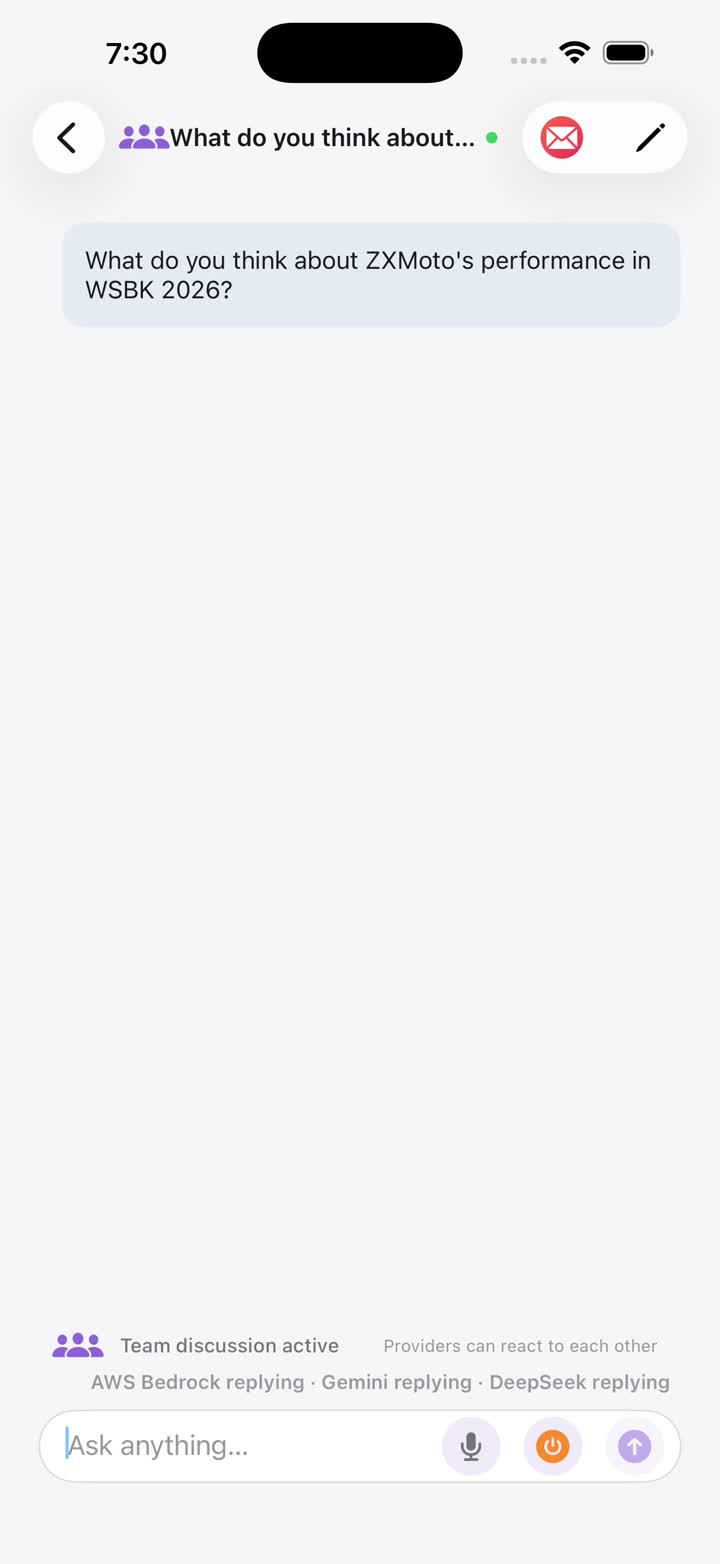
Team Mode turns multi-model collaboration into a shared conversation. Models can respond to your question, react to one another, challenge assumptions, and add information the discussion is still missing.
Showing several independent answers side by side is useful, but it is still a collection of separate replies. Team Mode changes the interaction: every participating model can read the shared discussion and decide whether it has something new to contribute.
Standard Chat and Team Mode Solve Different Problems
Standard Multi-Model Chat
Best when you want a fast comparison. Every completely configured service answers the same prompt, and your chosen summarizer organizes completed replies into one synthesized answer. See the comparison guide.
Team Mode
Best when a question benefits from critique or iteration. Models share a discussion, answer one another, and keep going only while they have useful additions.
How a Team Discussion Works
You Start the Discussion
Create a Team chat and send a question. Any new message from you wakes the configured participants and becomes the latest shared context.
Models Read and Respond
Each model sees the recent shared transcript and can contribute new information, refer to another participant, challenge an assumption, or decline to add a repetitive reply.
You Can Direct the Team
Type @ to ask one configured model to respond first; the other configured participants remain in the discussion. Participant status shows whether a model is replying, searching, quiet, or idle.
The Discussion Ends When There Is Nothing New to Add
When every participant has reviewed the latest relevant message and has nothing more to add, the discussion ends automatically. You can also stop it manually or send a new message to resume.
Questions That Benefit from Team Mode
- Reviewing a plan for hidden assumptions, missing steps, and trade-offs.
- Improving a draft through several distinct editorial or strategic viewpoints.
- Exploring a decision where technical, business, and user perspectives may conflict.
- Asking one model to challenge or extend another model's reasoning.
You Stay in Control
Every service with a complete model and credential configuration participates. You can ask a specific model to respond first with @, watch each participant's status, and stop the discussion at any time. Messages identify their speaker; in very long discussions, older messages may be compressed to control context length.